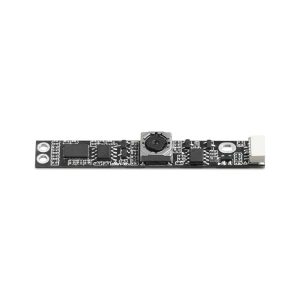
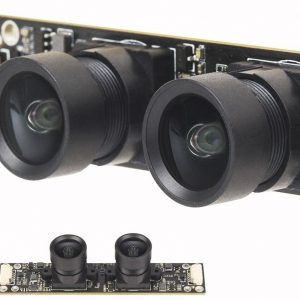
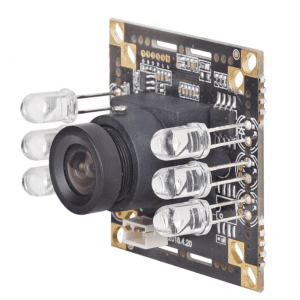
12MP IMX258 4K HD WiFi 4G HDMI OIS Camera, Digital Zoom, Anti-Shake
The 12MP IMX258 4K HD WiFi Camera Module is a high-performance imaging solution designed for professional and personal use. Equipped with a Sony IMX258 sensor, it delivers 12-megapixel stills and 4K Ultra HD video with exceptional clarity. The built-in WiFi and 4G connectivity allows for seamless wireless transmission, making it ideal for surveillance, drones, smart home devices, and IoT applications.
With anti-shake stabilization, this camera ensures smooth footage even in motion-intensive scenarios. The USB plug-and-play design eliminates the need for additional drivers, ensuring quick setup and compatibility with various devices. The digital zoom function enhances flexibility in framing shots, while low-light optimization ensures visibility in dim environments.
Whether for security monitoring, live streaming, or industrial inspection, this 4G/WiFi camera module provides high-definition imaging, reliable connectivity, and user-friendly operation in a compact and versatile package.

| Product Name | Z1 Full Featured Camera Motherboard |
| Hardware Version | VM-YLX-Zi-V33pcba |
| Main ControlChip(DSP) | YLX86H-Z1 |
| Sensorlnterface | MIPI |
| Battery Voltage | 3.7-4.2VLithium battery |
| Storage Type | External TF card,supports 8G-512Gdassto and above cards,U3 is recommended |
| Type-CInterface | Type-CVBS;can be connected to computer to output USB Camera |
| ndicator Type | Three-color light(red,green,blue) |
| Button Type | Power on/reset(Abutton),take photo/record(Bbutton),switch btween 4GWFI(C button) |
| Power Supply | ①5VUSB connected to Type-C interface for power supply ②3.7V-4.2V battery endfor powersupply *Support USB port to charge the battery |
| Operating Temperature | 30-80℃without housing(multi-function board with smallframe and high heat generation is normal) |
| Storage Temperature | -20-+80℃ |
| Humidity | 20X-802 |
| PCBSize | 38*38MM |
| PCBScrew Hole Spacing | 4MM*4 |
| PCBScrew Hole Diameter | 2MM |
| Onboard Configuration | Method1:Z1-V3.3motherboard+sensor module Method2:Z1-V33motherboard+sensor module+W1-V3.3 network board |
| Supported Image Sensors | SonyIMX37(8M)SonyIMX258(13M)SonyIMX415 8M)SonylMX678(8M)SCSC2210(2M) |
| Audio and Video Settings | |
| Resolution | 16:9(4K、2.7K、108oP、720P) |
| HDMIResolution | 4K@3DFPS 108oP@60FPS/30 F720P@6oFPS |
| USBResolution | H.264/H.265:4K@soFPS,108oP@6oFPS,720P@6oFPS *The computer does not have H.264/265 decoder installed and does not support thisformat output |
| MUPG3840*2160@soFPS 1920*108o@6oFPS/6oFPS 28o*720@6oFPS/6oFPS (Depend on the sensor,the output resolution of the supported UVC protocol also be different;please refer to the corresponding sensor) | |
| YUY2:108op/720P/48oP@3oFPS | |
| The UVC output code stream can be modified through the application | |
| Frame rate | 1fps-24ofps adjustable(Depends onvideo source)(default25-30fps) |
| VideoInterface | USB、HDMI、CVBS,WIF、4G、RJ45 |
| Resolution Settings | APP preview video resolution setting |
| Encoding fommat | H.265/H264 video encoding;Bit rate:0.1-8Mbps adjustable |
| Bit Stream | The default stream 108OP,and the sub-stream 720p or360,whichcan be set by APP |
| Photo | Short press the camera(B button)once to take aphoto. (G)The red light flashes randomly once. |
| Recording | Press andhold theRecord(B)button for3seconds,the(G)bluewill flash slowly to start |
| No Card recording | Recording/taking photos via App without SD card |
| Startand Stop recording | Press thebutton to tum on or off or set the APP tostartrecording/stop recording |
| Video Playback | Play back TF card wideo on APP orreview video on APP album |
| Video Download | Support |
| Video Fomat | AM |
| MotionDetection | Support |
| Alamm Prompt | Support |
| Image Quality Adjustment | Saturation,Bnightness,Sharpness,Contrast |
| mage Rotation | Horizontal miror,Vertical miror |
| Digital Zoom | TheAPP Supports 20X Digital Zoom |
| Recording Time | Set by different minutesor days |
| Loop Recording | ON/OFF-Video loopoveray |
| TF Card Status Detection | Local indicator light/APPSDcard status display |
| TF Card Reset | SDcard fommat settings |
| Audio | High-definition digital siliconmicrophone,G71A sampling rate 8KH support input volume adjustment |
| Trumpet | Can connect externalspeakers and support output volume adjustr |
| (Video)Time Watermark | APP time and location display settings |
| Settings | |
| Device Name Password | Support set your own device name/password |
| Start up | Suppor tafter hardware adjustment(adjustas needed),default button to start |
| Language | Defaut Chinese,follow the terminal Default Chinese,follow the terminal device |
| dock Settings | Support manual setting NTP time synchronization |
| System | Press and holdthe Abutton for8 seconds to restore to factory settings |
| Device Restart | The camera can be restarted remotely from the APP when connected to the Internet |
| Device Information | Display the fim ware version number |
| Network Settings | |
| WIFI(2.4G/5.8G dual-band)support AP hotspot and STA routing remote connection | Long press the network C button for 3 seconds,(Y)the green light flashes for WFI mode |
| 4G(cat4 high-performance full-network module,supporting China Telecom,China Mobile and China Unicom) | Long press the network C button for 3seconds,(Y)blue light flashes,indicating4G mode |
| network(RJ45 Ethernet port,10/1o0M adaptive) | Ethemet access,the network board white light is on |
| Network Protocol | RTSP/DHCPNTP/ONVF/TCP/UDPetc Support FIP,RTMP,GB28181 protocolcustomization |
| RemoteAccess Method | APP remote connection/PC dient remote connection/ONVIF/RTS |
Network Board

Views: 113